Advertisements
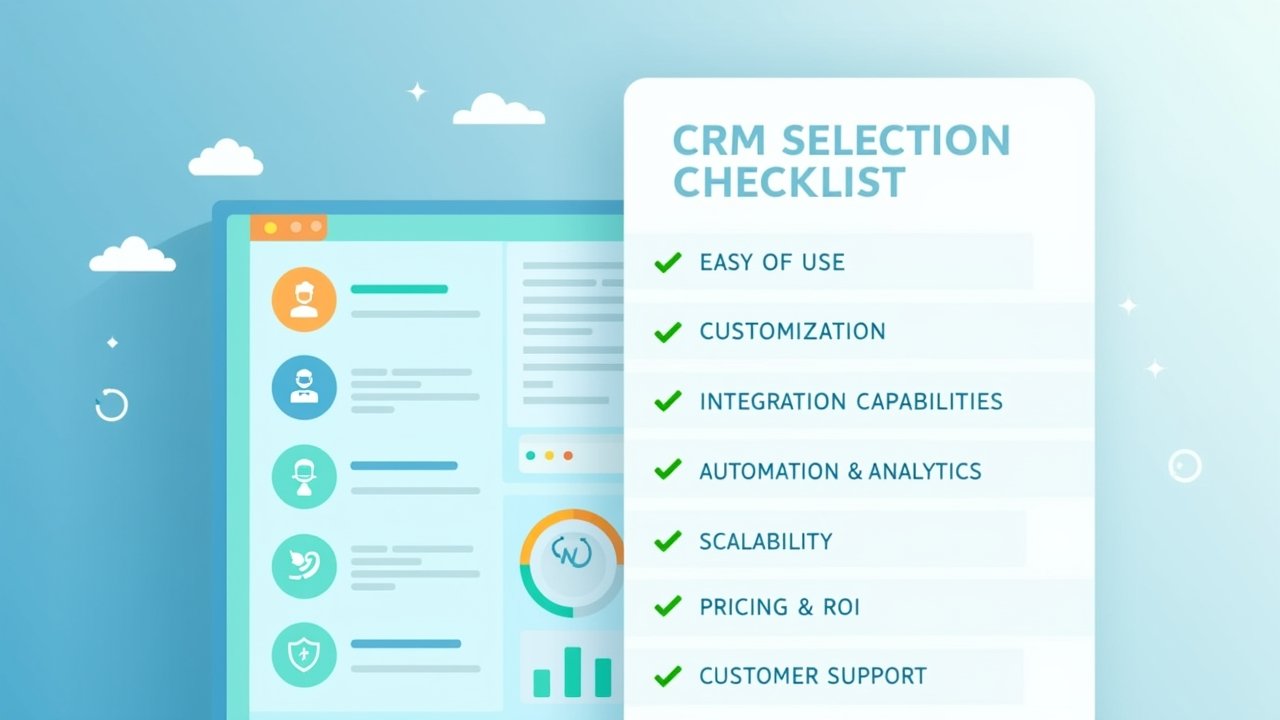
Did you know that 30% of CRM implementations fail because businesses pick the wrong system for their needs? Yeah, I read that stat somewhere and it made me spit out my coffee a little. I’ve been there, done that, bought the t-shirt (and then returned it because it didn’t fit right). Choosing a CRM is one of those decisions that feels small until it’s suddenly the biggest headache of your quarter!
So let’s talk about how to actually choose a CRM without losing your mind or your budget. I’ve made some dumb mistakes here, and honestly, that’s probably why I’m qualified to write this. Let’s get into it.
My First CRM Disaster (And What I Learned)
A few years back, I picked a CRM because it looked pretty. I’m not even kidding. The dashboard had these slick charts and I thought, “yep, this is the one.” Three months later, my sales team was still tracking leads in a spreadsheet because the tool was too clunky for actual daily use.
Turns out, aesthetics don’t close deals, functionality does. If you want to avoid my mistake, check out this guide from Salesforce on what a CRM should actually do before you fall for a shiny interface.
Figure Out What You Actually Need First
Before you even look at CRM options, sit down and write out your actual problems. Are you losing leads because nobody follows up? Is your team drowning in sticky notes? Be honest here, nobody’s grading you.
- List your top 3 daily frustrations with managing customers
- Identify who on your team will actually use the CRM
- Decide what “success” looks like in 6 months
I skipped this step my first time around and paid for it, literally. We wasted almost $2,000 on a tool nobody wanted to touch.
Don’t Forget About Your Team’s Tech Comfort Level
Here’s a tangent, but it matters. My cousin runs a small landscaping business and picked a CRM built for enterprise-level sales teams. His guys are out in trucks all day, not sitting at desks analyzing pipeline reports! The tool was way too complicated for what they needed.
Match the CRM’s complexity to your team’s actual comfort with tech. Simple can be powerful, don’t overthink it.
Advertisements
Integration Is Everything (Trust Me)
If your CRM doesn’t play nice with the other tools you use, you’re gonna have a bad time. Email marketing platforms, invoicing software, calendar apps, all of it needs to talk to each other smoothly.
I once picked a system that didn’t integrate with our email provider. We ended up manually copying info between two platforms for weeks. It was brutal, and honestly kind of embarrassing to admit now. Check whether your top CRM choices integrate with tools like Zapier, which connects thousands of apps together.
- Check compatibility with your email marketing tool
- Confirm it syncs with your calendar and scheduling apps
- Ask about API access if you have custom software needs
Pricing: Look Beyond the Sticker Price
This one’s sneaky. A CRM might look affordable at first glance, but then you find out advanced features cost extra, or you need to pay per user, or there’s a setup fee nobody mentioned upfront.
Always ask for a full pricing breakdown before committing. And seriously, read the fine print, I learned that lesson the hard way when a “free trial” auto-renewed into a yearly contract. Not fun.
Questions to Ask Before You Buy
- What happens if we exceed our user limit?
- Are there hidden costs for customer support?
- Can we cancel anytime, or are we locked into a contract?
Test Drive Before You Commit
Most decent CRMs offer a free trial, and you should absolutely use it. Get your actual team involved, not just you sitting alone clicking around. Have them try to complete real tasks they’d do daily.
This is where I finally got it right the second time around. We tested three different CRMs over two weeks each, and honestly the winner surprised us. It wasn’t the flashiest one, but it just worked.
Customer Support Matters More Than You Think
You will have questions. You will hit weird bugs at 4:45pm on a Friday. Good customer support can be the difference between a minor annoyance and a full-blown crisis.
Look for CRMs with live chat support, active community forums, and decent response times. I once waited three days for a response from a support team, and by then I’d already found a workaround myself, which honestly defeats the purpose.
Trust Your Gut, But Verify With Data
At the end of the day, you gotta feel good about your choice, but don’t let feelings override the facts. Read reviews on sites like G2 to see what real users are saying, not just the marketing copy on the company’s website.
Combine that gut feeling with actual research, and you’ll land somewhere solid.
Choosing the right CRM isn’t just about picking software, it’s about setting your business up for smoother days ahead and fewer headaches down the road. Every business is different, so take what I’ve shared here and tweak it to fit your specific situation, what works for me might not work exactly the same for you. Always double-check data privacy and security features too, since you’re handling customer information and that’s not something to take lightly.
If you found this helpful, swing by the Closiora blog for more real talk on running your business smarter, not harder. There’s a bunch of other posts over there that might just save you from making the same mistakes I did!